Animated Overlays
for Video, Instantly
Animated shapes for highlighting. Spotlights for tutorials.
No After Effects. No keyframes. Just download and use.
Works with your favorite editor
 CapCut
 Premiere Pro
 After Effects
 DaVinci Resolve
 Filmora
 Final Cut Pro
How It Works
From idea to animated overlay in 3 simple steps
Customize
Choose your shape or spotlight effect, adjust size, color, and animation. See it animate in real-time with instant preview.
Download
Click download to get your transparent WebM file. No signup needed for watermarked version, sign in for full quality.
Use Anywhere
Free WebM works in select editors. Sign in or go PRO for formats that work everywhere. Check your editor → Drag & drop as an overlay - done!
Why Video Editors Love ShapeLoop
The industry's first dedicated tool for animated shape overlays
No After Effects. No keyframes. No competition.
Instant Generation
30 seconds from idea to download. No After Effects, no keyframes, no complexity - just results.
18 Pro Effects
From classic pulse to trendy glitch effects. All the animations professional editors need.
Universal Formats
Sign in for Green Screen MP4 or go PRO for ProRes 4444 - works in all major editors. Check yours →
Spotlight Mode
Create cinematic focus effects for tutorials and demos. Dim everything except what matters.
Reusable Forever
Download once, use in unlimited projects. Build your personal library of effects.
Custom Colors
Match your brand perfectly with hex color input. Any color, any size, any style.
See It In Action
Real workflows. Real exports. Drag & drop into your editor.
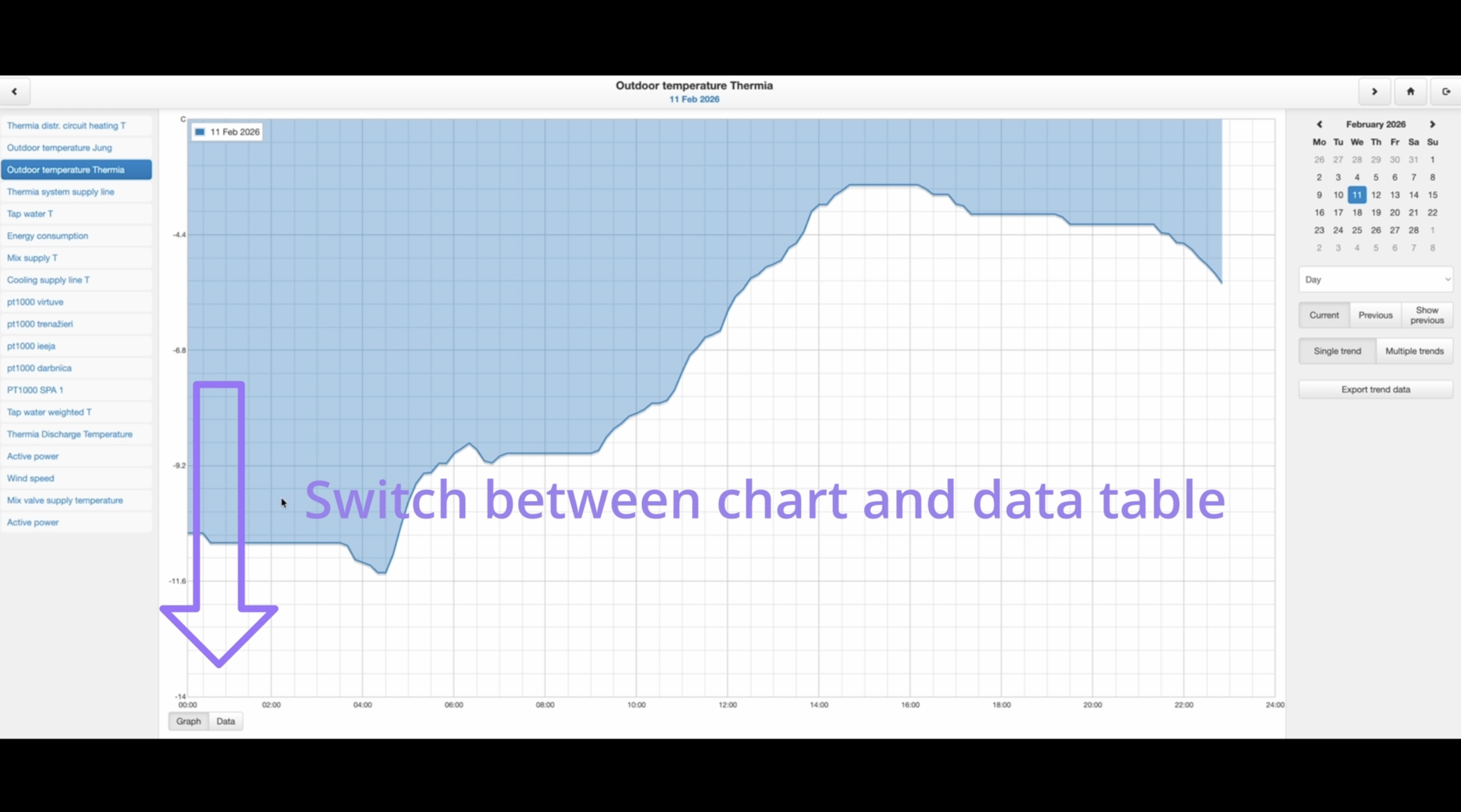
Highlighting UI elements in a home automation tutorial
Animated shapes to draw attention, spotlight to focus on key app screens — all in one tutorial.
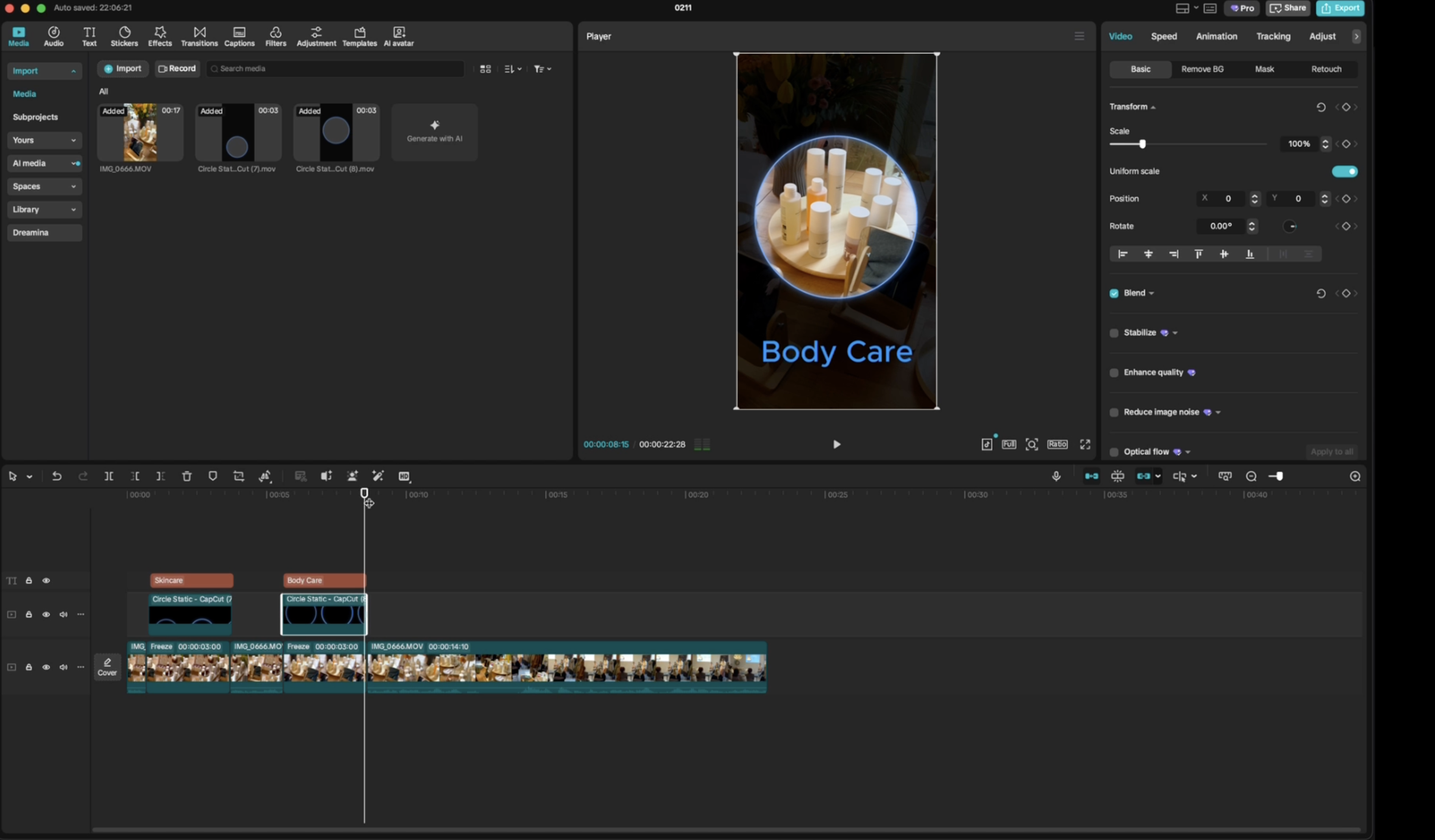
Product page walkthrough for a cosmetics brand
Spotlight to focus on product details, ingredients, and pricing — guiding the viewer step by step.
Simple, Transparent Pricing
Choose the plan that works for you - all prices in EUR
Prices exclude VAT (tax rate depends on your country)
Free Forever
Perfect for trying it out
- All shapes included
- 1 spotlight, basics
- HD quality (1920×1080)
- 5 downloads per day
- Small watermark
Credits
Buy once, use forever
- All 18 effects
- 1 spotlight, full customization
- HD + 4K quality
- No watermark
- 1 credit = 1 export
- Credits never expire
- No monthly commitment
Pro
For active creators
- Unlimited downloads
- All 18 effects
- HD + 4K quality
- No watermark
- Custom FPS (8-60)
- Priority support (24h)
- Spotlights (up to 3)
- All aspect ratio presets
Founder's Deal
50% OFF - Limited spots
- Everything in Pro, forever
- All future effects & features
- Priority support (12h)
- Founder badge
- EXCLUSIVE: Spotlight path recording
Frequently Asked Questions
Everything you need to know about ShapeLoop
Need Help? We've Got You Covered
Get support when you need it
Email Support
Credits/Pro
48h responsePriority Email
Founder's only
12-24h response